HOW I USE AI IN MY CONTEMPORARY FINE ART & VISUAL DESIGN PRODUCTION AND PROCESS
Kaeli VanFossen is a San Diego-based contemporary fine artist and visual designer with 30+ years of experience. This page breaks down how she integrates AI across both sides of her practice — fine art and visual graphic, web, and brand design. AI serves as a conceptual and supporting tool: exploring composition, color, and subject studies for paintings; moodboarding and iterating visuals for design clients; and refining her own writing and ideas. Every output is hand-refined and finished by Kaeli — in Photoshop, on canvas, or in client deliverables. The AI never produces the final work; it's a thinking and sketching tool, often trained on her own existing body of art.
- BY KAELI VANFOSSEN.
"In both my fine art and design work, AI is a pre-production sketching and thinking stage, never a replacement. It enhances the efficiency of my process from idea to revisions — and then the project moves to my desk, or easel, where my own skills and experience finish the artwork and design in my own original vision and refined taste."
concept
·
iteration
·
refinement
·
writing
·
research
·
production
·
concept · iteration · refinement · writing · research · production ·
THE PROCESS:
My vision and experience leads. The tools follow.
Every project starts the same way: an idea sparked by something I felt, saw, or was asked to solve. By the time I open any tool, I have already determined from my refined taste and experience what direction I'm heading. AI is only one of many instruments in a larger toolkit that includes Adobe applications like Photoshop, a Wacom tablet, pencil and paper, paint on canvas, a camera, and 30+ years of acquired knowledge and instinct for what works. What stays constant across every piece, whether it's a museum-grade signature painting or a client's complete visual brand identity, is that my own creative direction, curatorial taste, and physical hand and mind, guide the work from start to finish.
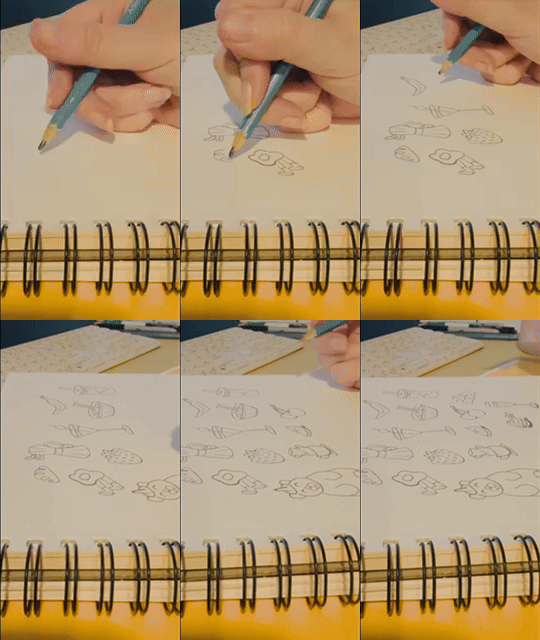
A step by step example:
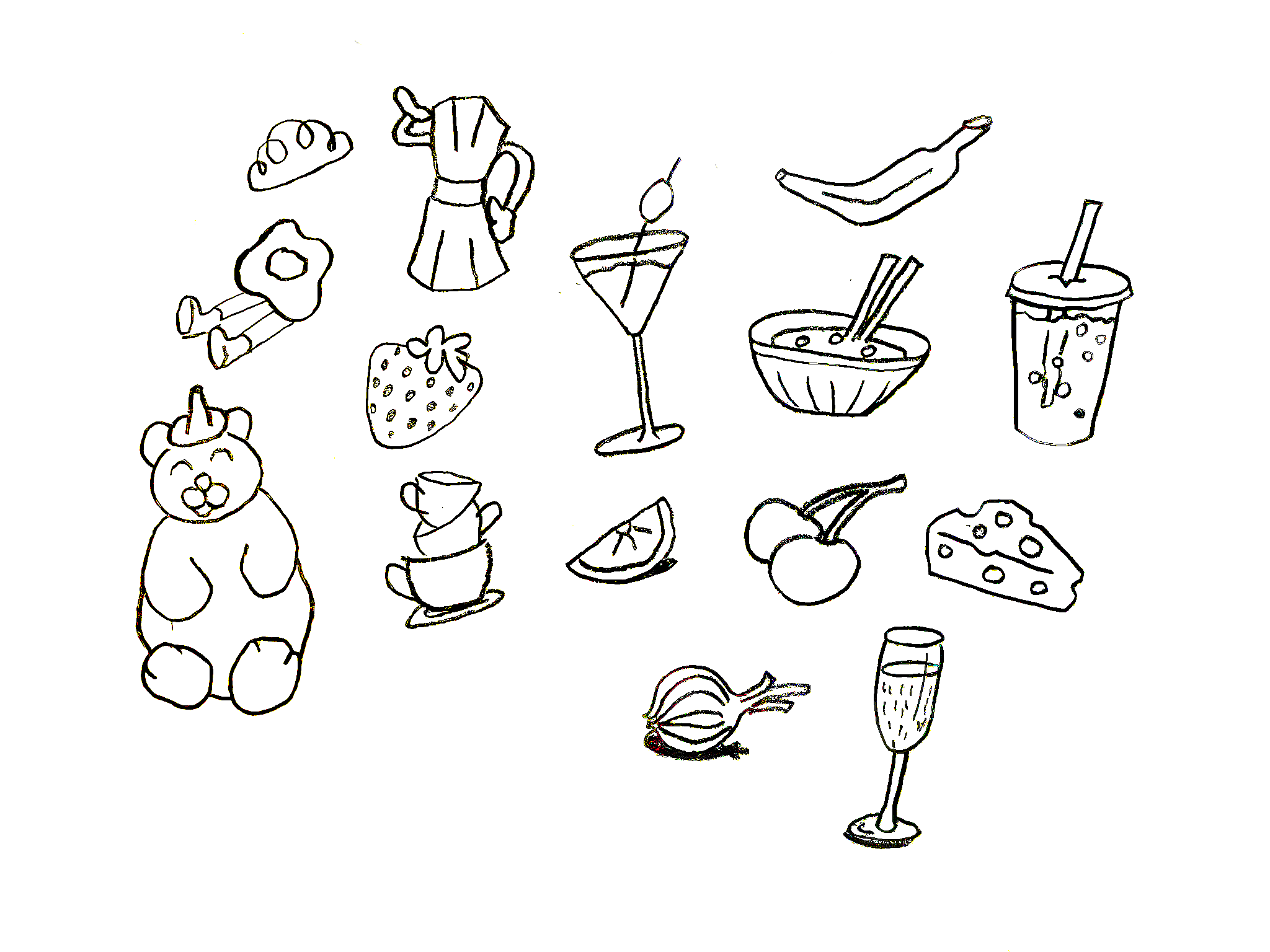
Hand sketch the concept
photograph the sketch and import to LR or PS
Image rotation, Topaz AI denoise, apply curves, etc
quick export then upload GPT
prompt creative brief…
THE PROMPT:
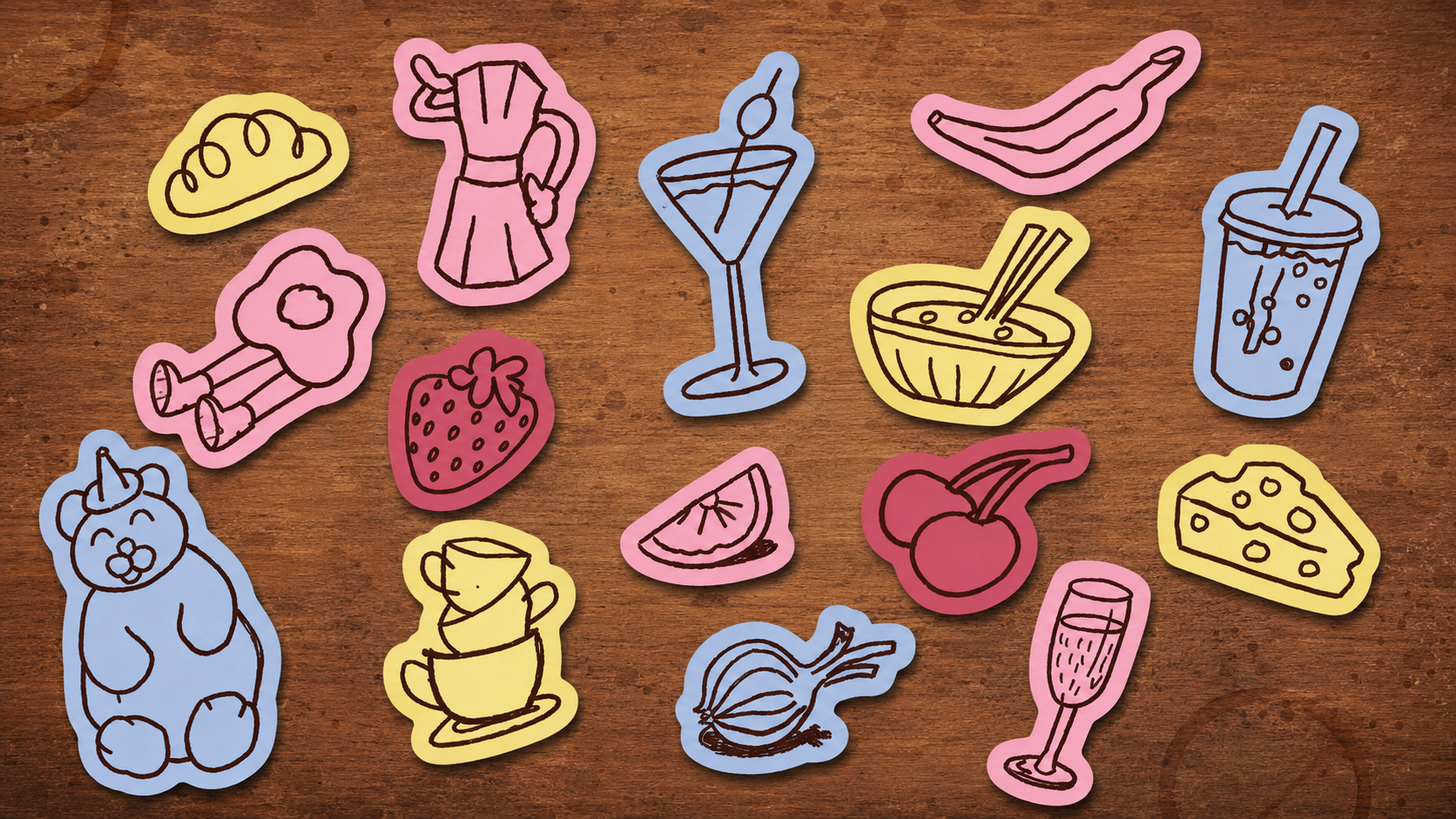
I have attached 3 references for this project. 1. kaelisketch.png is my own hand illustrations 2. and 3. are visual references to the "sticker" style I would like you to convert my doodle sketch illustrations into. One of the references has words in the stickers, ignore that, do not put any words in my doodle illustration stickers. Background should be a warm brown cafe texture of some kind, wood, or coffee, etc. similar to the references. Sticker color scheme should be similar to the references, complimentary and contrasting rich vibrant colors like a butter yellowish light lime green, a deep warm red brown that is dark, a light to medium blue that has a lavender purple tint, a deep reddish magenta, a light to medium pink that is cool tone. Add a subtle drop shadow between the warm brown background image and the sticker to give it some visual depth. Space the stickers out evenly but not aligned uniformly in rows or columns but instead a little oddly placed and each sticker has a slight tilt variation similar to the reference of the cat stickers. Make sure each individual doodle from 1. is it's own sticker. randomize the sticker background colors from this description and make sure each of my doodles is the opposite complimentary contrast color of the background. 4k clarity quality, Resolution size 1920px by 1080px landscape orientation.
BEFORE:
AFTER:
OF NOTE:
After saving multiple good outputs for concept variation and to test aesthetics, I curate the one(s) most visually aligned with the art/design direction before moving forward to pitch and approval of concept. After approvals, the concept goes directly into production for quality assurance and proper formatting for final deliverable.
How AI fits into my toolkit
I use AI the way a chef uses equipment in a kitchen: different tools for different tasks, none of them replacing the palate. Here's where AI enters my workflow and what it does there.
01
Ideation & Concept Exploration
Where most of my AI use lives. I feed the model my own existing artworks, design mockups or references, and written descriptions to exercise ideas visually, testing composition, color, subject arrangement, and mood before committing to a refined direction. I typically generate 10+ art-directed variations that align most with the vision, perhaps out of and up to hundreds of iterations, before selecting what to develop further. Sometimes the project calls for a reference I haven't already made, and when that happens, I'll create one myself first: sketching it on paper, painting a quick example, or photographing something similar. These original references then become part of what I feed the AI, so even the inputs are predominantly my own work. By the time I sit down with AI, I already have the vision and direction formed in its own ideation landscape, often sketched out on paper or written in notes; and in today's creative landscape, AI is an effective and efficient tool to pressure-test and refine what I see in my mind.
AI applications I use
Midjourney · Krea 2 · Recraft · Leonardo · Higgsfield · Flux · Seedream · Stability AI · ChatGPT · Nano Banana Pro / Google Imagen · Grok
02
Refinement & Enhancement
Upscaling, generative fill, and detail work within pieces already in progress. These tools also handle my technical polish, not creative decisions.
AI applications I use
Magnific / Freepik · Adobe Generative Fill · Nano Banana Pro / Google Imagen
03
Writing & Thinking
Refining my own writing for grammar, punctuation, sentence structure, and concision. I also use AI as a thinking partner for business strategy, project planning, and working through complex ideas. The words and ideas are mine; AI helps me sharpen how I communicate them.
AI applications I use
04
Research & Information
Quick answers, current information, and topic-specific lookups, especially when a search is really just a question I need answered with a link and/or references, and bullet points to go deeper.
AI applications I use
Google Gemini · Grok · Claude · ChatGPT
05
Design Assets & Production
Mock-ups, stock imagery for presentations, SVGs, templates, and responsive code for web projects. AI is increasingly capable here, and I'm actively exploring which tools produce assets that meet my standard for quality and correct production.
AI applications I use
Canva / Magic Studio · Figma (learning) · Framer (learning) · Claude (very quickly becoming my go-to) · Lovable (recently discovered)
06
Motion & Video
Occasional exploration of animation and video tools for creative projects. I don't use these frequently, but their capabilities are growing fast and I stay current with what's possible.
AI applications I use
Kling · Runway · Pika · Google Veo · Hailuo · HeyGen · Seedance · Wan · Canva / Leonardo / Magic Studio
07
Custom AI Training
Training models on my own signature characters, styles, and visual elements so the AI is referencing my existing body of work, not anyone else's. This is the most distinctive part of my AI practice: the style references are self-referential.
AI applications I use
ComfyUI · Krea 2 · Midjourney · ElevenLabs
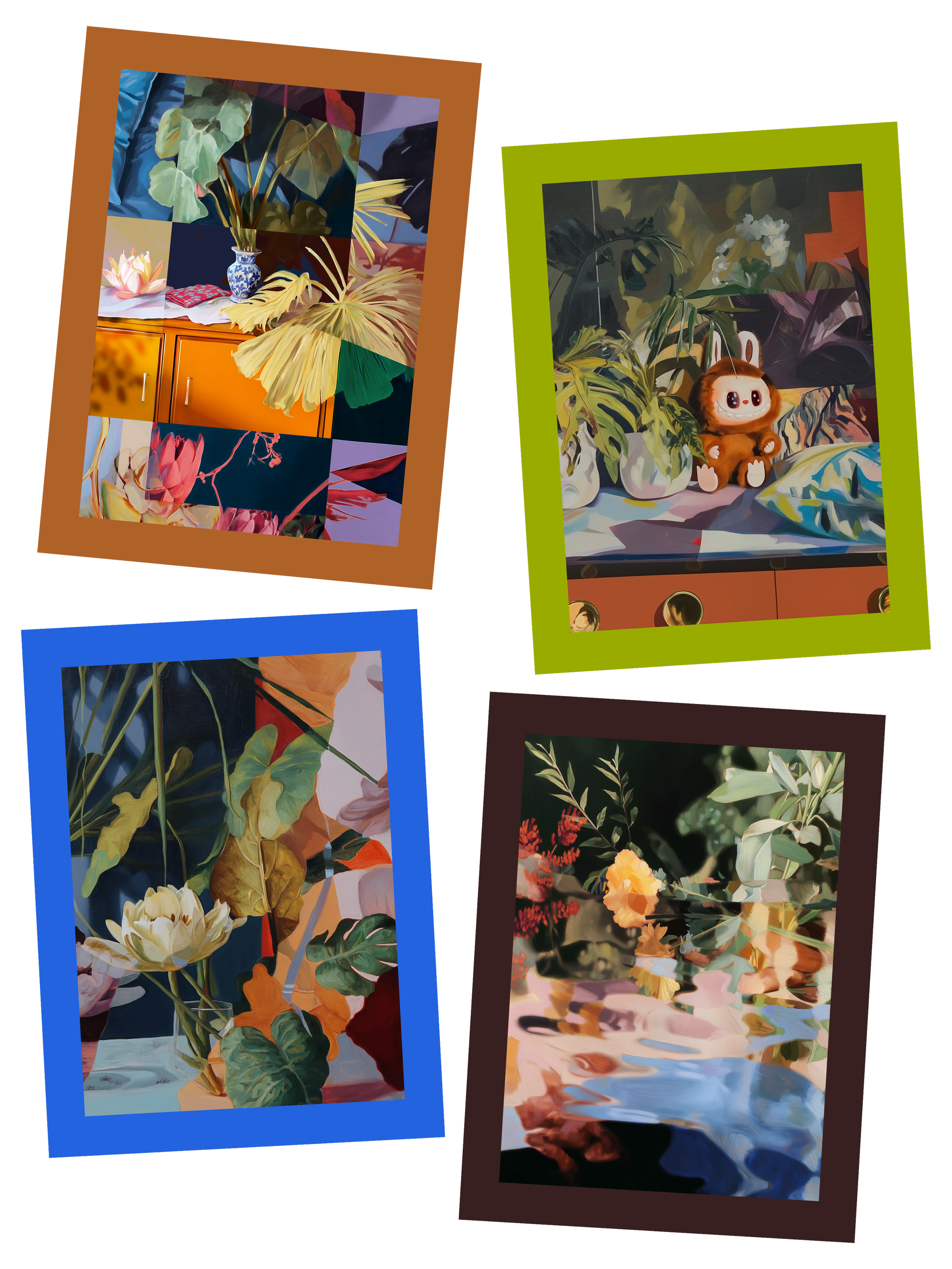
A Lexicon of My Signature Style
Prompt vocabulary · AI as creative medium
This is the organized vocabulary I use when prompting AI image models to draft conceptual studies for paintings I later refine in Photoshop and finish by hand on canvas. Each slide groups the recurring phrases by their function in a prompt — from medium, to composition, to mood — with the top variations of phrases I return to most. It's both a working tool and a map of my visual language.
Use arrows, dots, or swipe
My Stance
I love AI — and I think about what it costs.
I’ve chased the bleeding edge of technology my whole career, with creativity as the reason why. My position on AI isn’t a single feeling — it’s the place where several honest ones overlap.
People who find AI genuinely exciting and useful — for making, teaching, and exploring
People who care that human skill, taste, and authorship still lead the work
People mindful of the environmental and community cost of AI infrastructure
People who want innovation to advance responsibly, not at any cost
I am here
You don’t have to pick a side. You can love what AI makes possible and still insist the infrastructure behind it becomes safer, fairer, and more accountable to the people living beside it. That’s not a contradiction — that’s paying attention.
Not every piece is the same, and that's intentional.
My work lives on a spectrum of what and why. Some pieces are high-end signature paintings where AI was one early spark among many references, and the finished canvas has diverged significantly through hand-refinement in Photoshop and hand-painting on the easel. Others are concept explorations and experiments: AI-assisted works I share with my audience as part of the creative journey, priced accessibly and valued for what they are. Sketches, ideas in motion, directions I'm testing.
I don't hide where a piece sits on this spectrum. The craft, the cost, and the context reflect it. What stays true across all of it is that every piece, from experiment to exhibition, was conceived, directed, curated, and finished by my own eyes, mind, and hands.
Concept & Experiment
AI-assisted explorations, shared as affordable works. Output is close to the concept stage.
Signature Collection
Fully hand-refined and hand-painted. AI was one early reference. The finished work is distinctly my own.